iVentoy Secure Boot
- 1. Background
iVentoy supports secure boot since 1.0.40.
Attention:
1. For some special machine, you must enable UFEI CA to make iVentoy boot. Please refer: UEFI CA Option
2. For Hyper-V client, please refer About Hyper-V Secure Boot
- 2. Architecture
Currently iVentoy only supports x86_64 client secure boot.
- 3. Secure Boot Support Mode
iVentoy provides following 3 secure boot support modes.
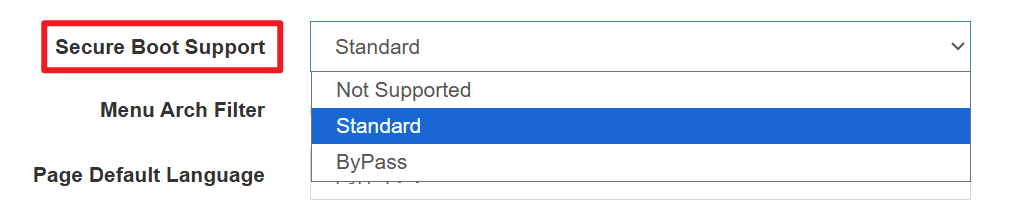
| Mode | Advantages | Disadvantages |
|---|---|---|
| Not Supported | Best compatibility | Does not support secure boot. Must disable secure boot in the UEFI firmware. |
| Standard | Secure Boot compatible by default. No client manual operations needed. |
Some iVentoy features are unavailable. Cannot boot ISO files with unsigned boot loader. |
| ByPass | Secure Boot works after enroll key. iVentoy full features. |
Need to enroll key for the first boot. |
- 4. Standard Mode vs ByPass Mode
| Features | Standard Mode | ByPass Mode |
|---|---|---|
| Enroll key for the first boot | No need | Necessary |
| Unicode Boot Menu | Not supported | Supported |
| GrubBoot | Not supported | Supported |
| UEFI Resolution Lock | Not supported | Supported |
| Boot Password | Not supported | Supported |
- 5. Enroll key in ByPass mode
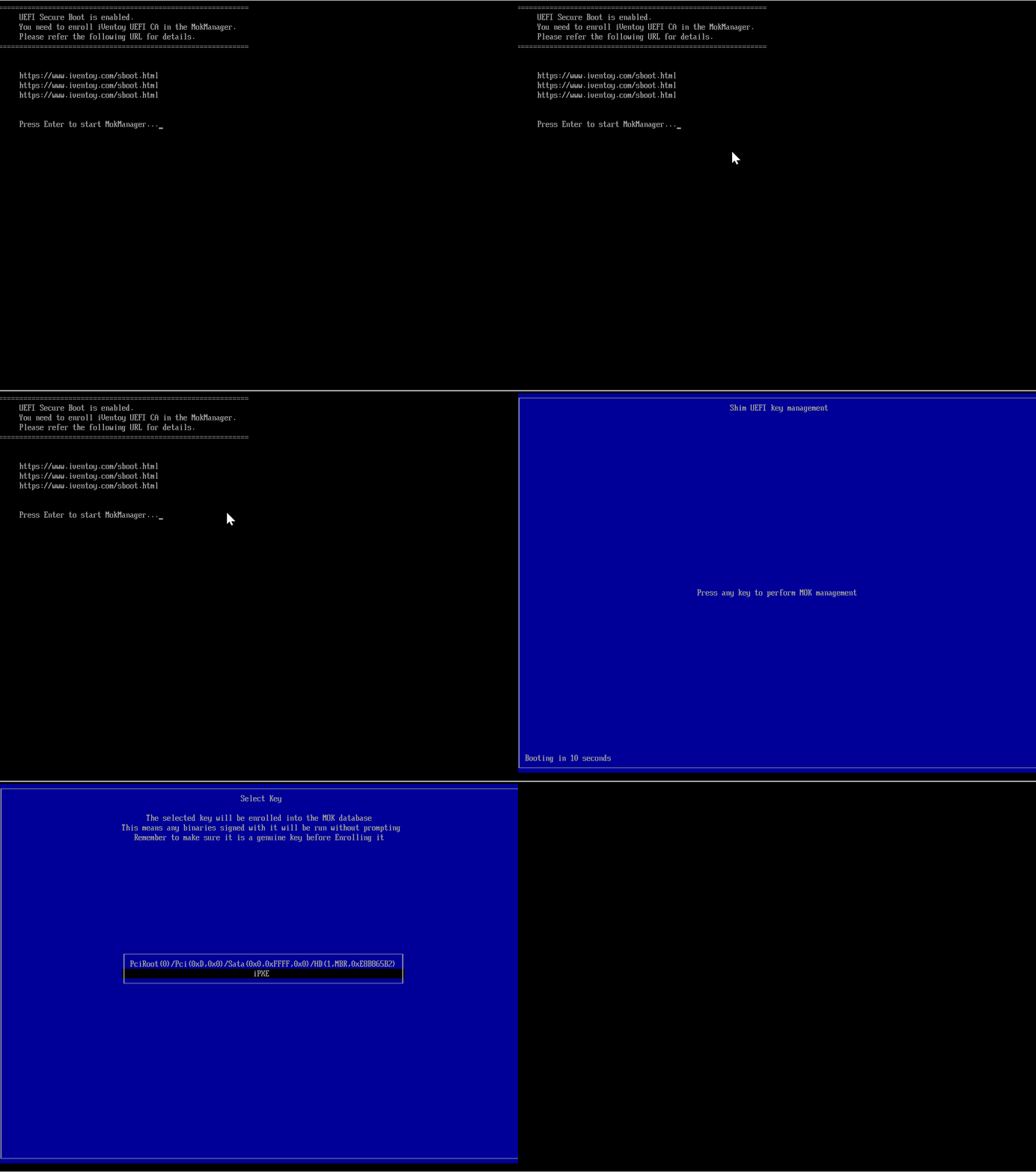
When you select ByPass mode you need to enroll iVentoy CA for the first boot in a client machine as follows: