
Display issue when UEFI booting Windows/WinPE
- 1. Background
Attention: Here is only for UEFI mode not Legacy BIOS mode.
Sometimes we get display issue when booting Windows/WinPE ISO files in UEFI mode.
- 2. Solution
To fix this, iVentoy 1.0.25 add an UEFI Resolution Lock option as follows:
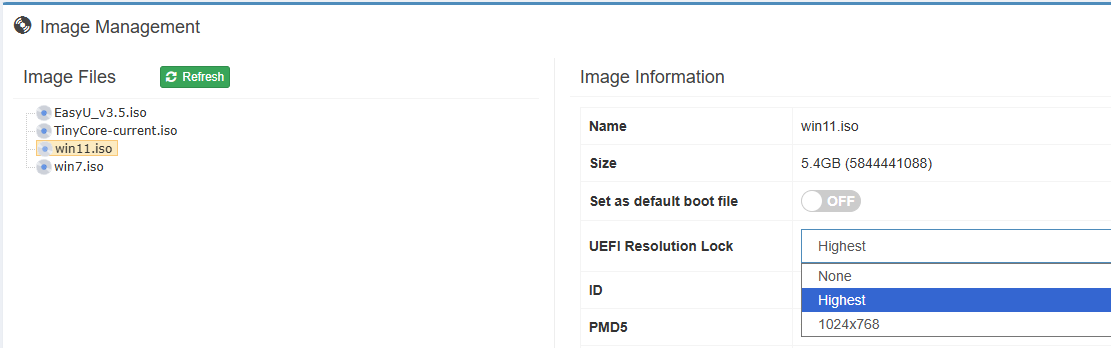
1. Every ISO file has such option. You can select different modes for different ISO files.
2. For Windows/WinPE ISO files, iVentoy will select Highest by default. That is force the highest resolution.
3. You can change to 1024x768 if the font is too small in highest mode.